Student Profiles Just Got Even More Flexible.
We’ve made some helpful updates to Student Profiles in HelpKidzLearn, giving you more control over personalisation, analytics, and the learner experience. From clearer profile guidance to new options that support calm and regulation, these changes make it even easier to tailor HelpKidzLearn around individual needs.
Why this is great news.
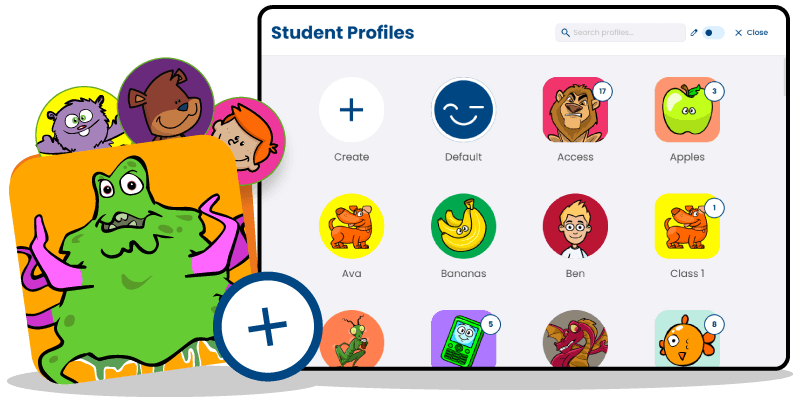
Student Profiles are an important part of creating a more personalised experience in HelpKidzLearn. They make it easier to tailor activities and settings for individual learners, helping to create greater consistency, accessibility, and support across the platform. With these latest updates, Student Profiles are now even more flexible and practical to use. 💙 More control over whether learner analytics are recorded. 💙 Clearer guidance within the profile interface. 💙 Better support for temporary, and individual profiles. 💙 New options to create a calmer, less distracting experience for some learners.
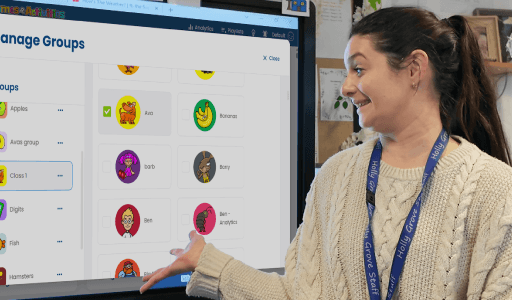
New option to support calm and regulation.
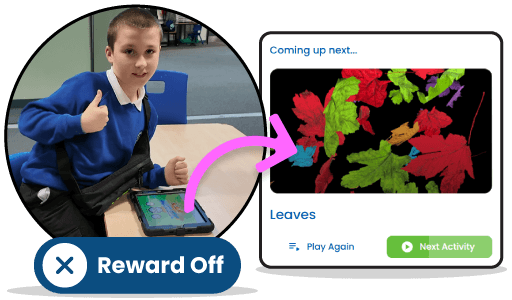
One of the most helpful new improvements is the ability to turn off reward music in Sensory Space, Games & Activities, and Inclusive Stories. This is especially useful for learners who are sensitive to sound, or in moments where you want activities to feel calmer, quieter, and more regulating. It also helps avoid interrupting a carefully supported sensory experience with unexpected music. For some learners, reducing stimulation can make a big difference to comfort, focus, and engagement. This new option gives you another way to shape the experience around individual needs.
More control over learner analytics.
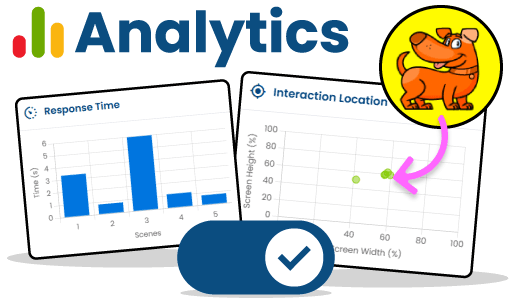
Student Profiles now give you the option to choose whether analytics are enabled for each individual learner profile. This means you have more flexibility over when learner data is recorded and when reports are generated. This change recognises that every setting is different. In some cases, recording learner progress and generating reports is important. In others, it may be preferable not to capture data at all. By making analytics optional at profile level, HelpKidzLearn gives you more control over how Student Profiles are used.
A clearer role for default profiles.
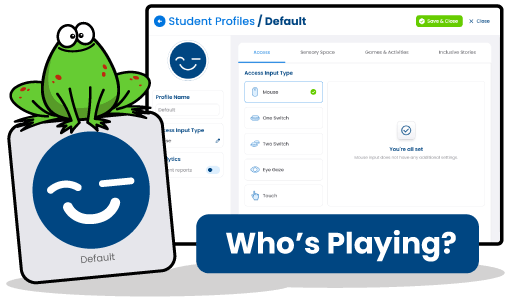
Default profiles no longer capture new analytics data. This is because default profiles are often used as temporary profiles for multiple learners, so they are now treated as placeholder profiles rather than individual learner profiles. Historical reports remain available, but no new reports will be created from default profiles. This change encourages the use of personalised student profiles where settings, preferences, and reporting can be more meaningful and more closely matched to each learner.
Personalised profiles still support progress tracking.
If you have already created personalised student profiles, analytics will stay enabled for those existing profiles so that reporting and progress tracking can continue without interruption. For any new personalised profiles you create, analytics can be switched on within the profile settings whenever you want to record learner data and generate reports. This gives you a more intentional and flexible way to manage progress tracking for each learner.
A clearer, more helpful profile experience.
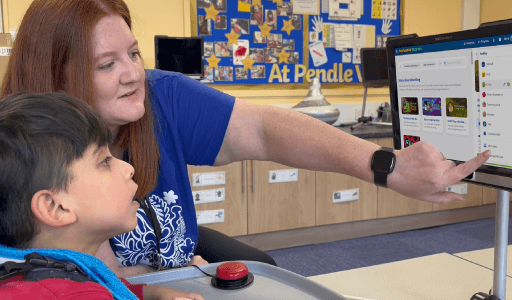
Alongside these changes, we’ve also updated the Student Profiles interface to make settings easier to understand. When using a default profile, you will now see a message explaining that analytics are not supported and prompting you to create an individual learner profile if you want to record data and generate reports. Personalised profiles with analytics turned off will also display prompts showing how analytics can be enabled in profile settings. These changes make the experience clearer and help users understand what each profile is designed for.
Why Student Profiles matter.
Every learner is different, and Student Profiles help make sure their experience reflects that. From preferred access methods and personalised settings to calmer sensory experiences and more meaningful reporting, Student Profiles support a more accessible and individualised approach across HelpKidzLearn products. They help create consistency, save time, and make it easier to build experiences that feel right for each learner.